

Level Up Your Play: How PandaVPN Revolutionizes Cross-Region Gaming
 Sharon
 2026.11.03

Gaming is no longer limited by geographical boundaries. Whether you’re teaming up with friends in another country, exploring region-specific content, participating in international beta tests, or competing against players on overseas servers, cross-region gaming opens up a whole new world of possibilities.
However, connecting to game servers thousands of miles away can introduce frustrating network issues. High ping, inconsistent routing, packet loss, and sudden lag spikes can disrupt gameplay, delay critical actions, and make competitive matches much harder to win.
That’s where PandaVPN comes in. Combining high-speed server infrastructure, intelligent routing, and encrypted connections, PandaVPN helps gamers optimize their network paths, access a wider range of gaming regions, and protect their online connections. While no VPN can eliminate latency caused by physical distance or guarantee compatibility with every game, choosing an efficient connection route can make a noticeable difference to your overall gaming experience.

The Technical Edge: Why PandaVPN Is Built for Gaming
A fast internet plan doesn’t always guarantee a smooth gaming experience. Even with plenty of available bandwidth, inefficient routing, network congestion, and unstable connections can cause lag when connecting to international game servers.
PandaVPN combines several networking technologies designed to help address these challenges:
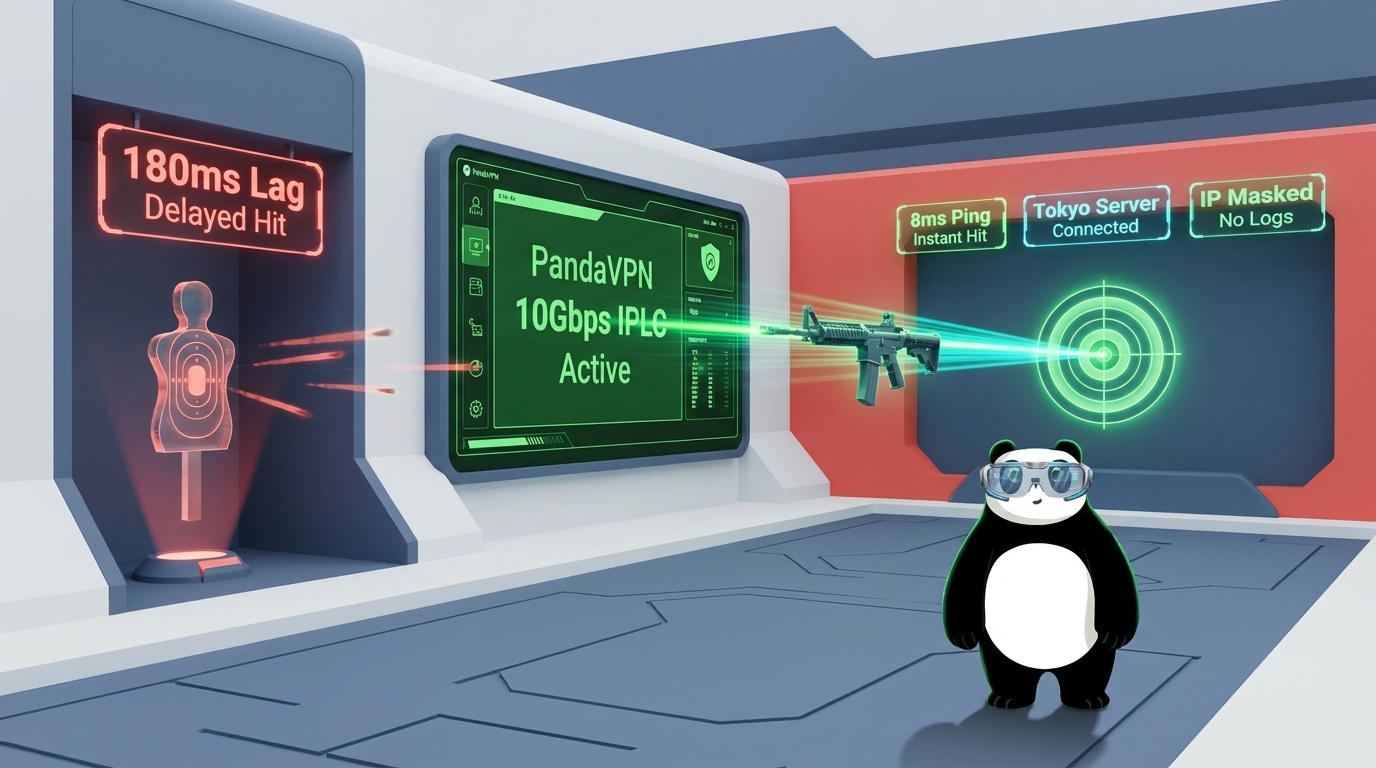
- 10Gbps Ultra-Fast Servers and IPLC Acceleration: PandaVPN provides access to high-capacity 10Gbps servers, with International Private Leased Circuit (IPLC) acceleration available on supported routes. These optimized network paths can help reduce the impact of public internet congestion, improve connection stability, and deliver more consistent performance when connecting to overseas gaming regions.
- Intelligent Routing for More Stable Connections: Network conditions can change throughout the day, affecting latency and connection quality. PandaVPN’s routing and acceleration capabilities help optimize traffic paths, making it easier to establish a stable connection without repeatedly experimenting with different network settings. Actual performance depends on your location, ISP, selected server, and the game’s network infrastructure.
- A Global Server Network for Cross-Region Play: With over 6,000 servers across more than 100 countries, PandaVPN gives gamers a broad selection of virtual locations. Connecting through a server near your target gaming region may help you find a more efficient route to the destination, access region-specific services where permitted, and connect with international gaming communities.
- ECC Encryption for Added Connection Security: Gaming on public Wi-Fi or unfamiliar networks can expose your connection to potential security risks. PandaVPN uses Elliptic Curve Cryptography (ECC) as part of its security technology to help protect transmitted data. By encrypting your traffic and masking your public IP address, a VPN can also make it harder for third parties to monitor your online activity or directly target your real IP address.
Together, these features give gamers more control over how they connect to international servers, balancing network performance, location flexibility, and online privacy.
How to Use PandaVPN to Improve Your Cross-Region Gaming Experience
From stabilizing connections to exploring international gaming communities, a VPN can be useful in several cross-region gaming scenarios. Here’s how PandaVPN can help address common challenges.
1. Reducing Ping and Minimizing Lag Spikes
High ping is one of the biggest obstacles to cross-region gaming. When your game server is located on another continent, data must travel a greater physical distance, and the network routes between your device and the destination can introduce additional delays.
PandaVPN can help by routing your connection through an alternative network path. When the selected route avoids congestion or inefficient routing nodes, you may experience lower latency, fewer connection interruptions, and more consistent gameplay.
This can be particularly helpful in fast-paced games where timing matters, including first-person shooters, battle royale titles, and competitive multiplayer games.
However, a VPN does not automatically reduce ping in every situation. If your original connection already uses an efficient route, or if the main source of latency is the game’s own server, switching VPN servers may offer little improvement. For the best results, try several locations near your target game server and compare ping, packet loss, and connection stability before entering a competitive match.
2. Exploring International Game Servers and Regional Content
Some games offer different matchmaking pools, events, beta programs, or community features depending on the player’s region. If you want to explore gaming opportunities outside your usual region, a VPN can provide additional location flexibility.
With PandaVPN, you can connect through servers in different countries and use the resulting VPN-assigned IP address to access certain region-specific gaming services, subject to the game’s availability rules and regional restrictions.
For example, you might want to connect with friends who play on overseas servers, explore a different regional gaming community, or check whether a particular service is available in another market.
Keep in mind that changing your IP address does not guarantee access to every region-locked game or feature. Some platforms also check account regions, payment methods, GPS data, or other location signals. Always review the relevant game’s terms of service and regional policies before changing your connection location.
3. Protecting Against ISP Throttling and Reducing IP Exposure
Unexpected slowdowns can be especially frustrating during long gaming sessions. In some cases, an internet service provider (ISP) may manage network traffic in ways that affect certain applications or high-bandwidth activities. Congestion, peering arrangements, and routing problems can also contribute to poor performance.
Because a VPN encrypts traffic between your device and the VPN server, it can limit your ISP’s ability to identify the specific contents of your gaming traffic. Depending on the ISP’s traffic-management practices, this may help reduce the impact of certain forms of application-specific throttling.
However, a VPN cannot prevent every type of bandwidth restriction, and it may introduce additional latency if the chosen route is inefficient.
PandaVPN also masks your original public IP address from the game server and other services you connect to through the VPN. This can help reduce direct exposure to IP-based attacks, including some forms of distributed denial-of-service (DDoS) attacks. Nevertheless, protection depends on the network configuration, and a VPN cannot guarantee immunity from every attack or prevent attacks against the game server itself.
For gamers who value both connection flexibility and privacy, these protections offer an additional layer of security without requiring complicated network configuration.
4. Gaming Across Multiple Devices
Today’s gaming habits extend beyond desktop computers. You might play competitive titles on a Windows PC, join mobile matches on your phone, or use an Android TV device for supported cloud gaming and gaming-related services.
PandaVPN supports multiple major platforms, including Windows, macOS, iOS, Android, and Android TV, making it easier to maintain a consistent VPN experience across different devices.
With support for up to 20 simultaneous device connections, you can protect multiple compatible devices under one account, subject to your subscription plan and the service’s current terms. This is useful for households with several gamers or players who regularly switch between desktop and mobile gaming.
For the best results, choose a server location that suits your specific game and device. A nearby VPN server may be preferable for latency-sensitive gameplay, while a server in a particular country may be more appropriate when you need to connect to a specific regional gaming service.
Conclusion
Cross-region gaming gives you the freedom to explore new servers, compete with international players, and enjoy gaming communities beyond your local region. But making the most of that freedom requires a connection that balances speed, stability, and security.
PandaVPN brings together high-capacity 10Gbps servers, intelligent routing capabilities, IPLC acceleration on supported routes, and a global network spanning more than 100 countries. These features can help you explore alternative connection paths, improve network consistency, and protect your real IP address while gaming online.
Whether you’re trying to stabilize an overseas connection, play with friends in another country, or add privacy to your gaming setup, PandaVPN offers a convenient way to manage your cross-region connections.
Ready to explore beyond your local server region? Download PandaVPN and find a connection that works for your gaming needs.
FAQ
1. Can PandaVPN reduce ping when playing games on overseas servers?
PandaVPN may help reduce ping when your existing connection suffers from inefficient routing or network congestion. Results depend on your location, ISP, VPN server, and the game server’s location. Testing different server locations is the best way to identify an effective route.
2. Can I use PandaVPN to access games in other regions?
PandaVPN allows you to connect through VPN servers in different countries, which may help you access certain region-specific gaming services. However, some games require additional account or regional verification, and access remains subject to the platform’s terms and restrictions.
3. Does a gaming VPN prevent ISP throttling?
A VPN encrypts traffic between your device and the VPN server, potentially making it harder for your ISP to identify specific gaming activity. This may help with certain types of application-specific throttling, but it cannot eliminate congestion or prevent every form of bandwidth management.
4. Can PandaVPN protect me from DDoS attacks while gaming?
PandaVPN masks your original public IP address from services you access through the VPN, which can reduce your exposure to direct IP-based attacks. However, protection depends on the connection setup, and no VPN can guarantee complete protection against all DDoS attacks.
5. Which devices support PandaVPN for gaming?
PandaVPN supports Windows, macOS, iOS, Android, and Android TV, among other platforms. It also supports up to 20 simultaneous device connections, subject to the applicable subscription plan and service terms.

Related Posts


Featured Posts